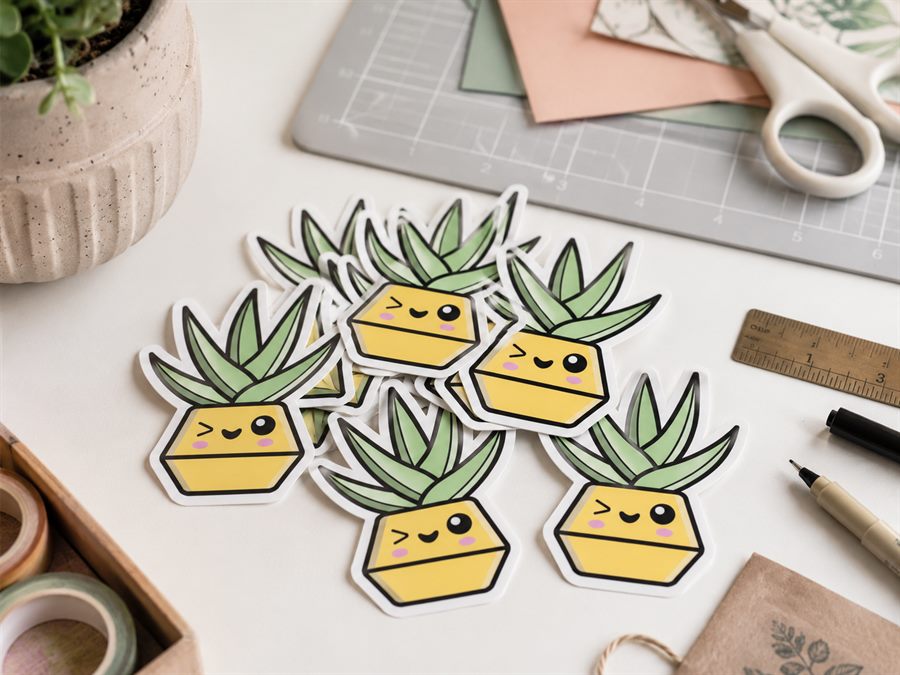
Cut Files for Laptop Stickers
Laptop stickers are the sticker world's postage stamps - small, personal, and unforgiving. At 40 to 60 mm the cut line has to hug the design closely without wobbling, corners have to be smooth enough that weeding doesn't lift the vinyl, and the shape has to look right when peeled off a phone-camera photo. CutPath Pro's default trace hits those targets; below is what to adjust when it doesn't.
Size the design before you trace
Set the width to your intended finish size before uploading - 40 mm for a single tiny sticker, 60 mm for a normal laptop-lid sticker, 80 mm for a large statement sticker on a 15-inch. The cut path is generated at the size you set, so choosing a sensible physical width up front avoids weird surprises when the tool exports a design at "the size the PNG happened to be".
Offset for the small format
The default 2.5 mm offset works for medium (100 mm+) stickers. For laptop-scale designs, drop it to 1.5 to 2 mm - a bigger halo starts to overpower the art at small sizes. Anything below 1 mm and you'll get a coloured edge showing on the die cut if the print-to-cut sensor drifts even a fraction.
Round corners, always
On a 60 mm sticker, mitre corners lift on weeding roughly one in four cuts. It doesn't sound like much until you're weeding a sheet of 40 and half of them tear. In CutPath Pro's corner options, pick Round - the same file works on Silhouette, Cricut and Roland, and the failure rate on peel-off drops to almost zero.
Kiss cut vs die cut
Laptop stickers ship die cut. Kiss cut is for sheets - a single sticker on a big square backing looks amateur. When cutting, run the blade a hair deeper than a kiss cut so it goes clean through the backing. See our kiss cut vs die cut guide.
Materials that survive laptop life
- Vinyl (not paper) - laptops travel, and paper stickers scuff on the first bag pack.
- Gloss laminate over printed vinyl - resists fingernail scuff and the click-out of a USB cable.
- Matte for text-heavy designs - gloss reflects light and makes small typography hard to read at an angle.
Frequently asked
How big should a laptop sticker be?
40 to 80 mm on the long edge. Smaller loses detail; larger crowds the trackpad on a 13-inch lid.
What offset for a small die-cut?
1.5 to 2 mm. Small stickers can't wear a big halo - the border starts looking bigger than the art.
Kiss cut or die cut?
Die cut. A single sticker with its outline as the shape. Kiss cut is for sheets.
Ready to trace
Upload the PNG, get a die-cut-ready SVG in seconds. First one free - no card needed.