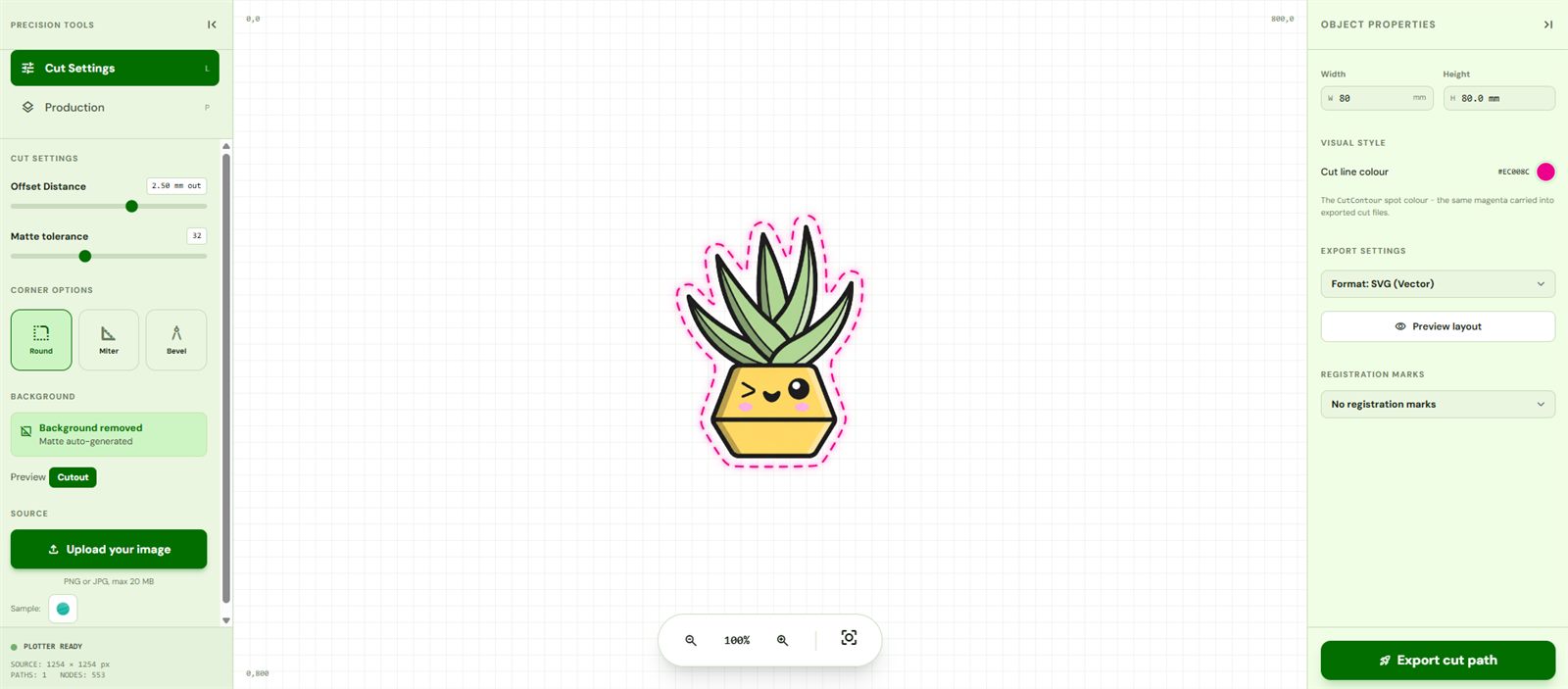
PNG to Cut File - Every Format from One Upload
A "cut file" isn't a specific format - it's whatever your cutting machine reads. Silhouette wants SVG. Roland wants a PDF with a CutContour spot. Older plotters and CNC want DXF. Rather than picking one and hoping, CutPath Pro traces once and lets you download every format for the same credit. Upload a PNG, get a clean cut line, export whichever format your machine needs.
What "cut file" actually means
Every cutting machine - vinyl plotter, laser, CNC router, print-and-cut - follows the same principle. Instead of printing pixels, it moves a blade or a laser head along a vector line. That vector line is the cut file: a single continuous path around the artwork. Colour fills, layers and effects are irrelevant; what matters is that the blade knows exactly where to travel.
The four formats CutPath Pro exports
- SVG - the modern default. Silhouette Studio, Cricut Design Space, Brother CanvasWorkspace, Sure Cuts A Lot. Text-based, easy to open in Illustrator or Inkscape to check.
- PDF with CutContour spot - the Roland VersaWorks standard. The cut line sits on a spot-colour separation the RIP recognises and routes to the blade, while the raster print goes to the print heads.
- DXF - AutoCAD exchange format. Older vinyl plotters (Roland CAMM-1, older Graphtec CE-series, Summa DC-series), CNC routers (Shopbot, Onefinity), and laser cutters (LightBurn) all speak DXF cleanly.
- EPS - PostScript. A few RIP tools and older Illustrator plugins expect EPS, and it's the safe fallback when nothing else is accepted.
Every export uses the same physical dimensions (millimetres) and the same cut path. The only difference is the container.
The workflow
- Upload a PNG (or JPG - background removed automatically).
- Set the physical width in millimetres so exports are true-to-size.
- Adjust offset - default 2.5 mm; drop to 0–1 mm for text-only decals, push to 3–4 mm for delicate scripts and printed die-cuts.
- Pick corner style - Round for weeding-safe sticker cuts; Mitre for sharp graphic designs; Bevel for a chamfered look.
- Optionally add registration marks for your machine's sensor.
- Export - SVG, DXF, EPS and PDF are all available for the same credit.
Once, then re-download every format
The credit unlocks the design, not each format. Once you've paid for the cut file you can re-download SVG, DXF, EPS and PDF from your My Files page as often as you like. This is the difference between a single-format converter that charges per export and a proper cut-file workshop.
Frequently asked
What is a cut file?
A vector file with a single continuous line that a cutting machine follows. For sticker makers it's the outline the blade traces around the printed artwork; for CNC and lasers it's the toolpath.
Which cut file format do I need?
SVG for Silhouette, Cricut and Brother. PDF with CutContour for Roland VersaWorks. DXF for older plotters, CNC routers and laser cutters. EPS for RIP software.
Do I need to draw the cut line?
No - CutPath Pro traces it automatically from your PNG or JPG. Offset, corner style and registration marks are set in the editor.
All four formats, one credit
Upload a PNG, get SVG, DXF, EPS and PDF cut files. First conversion free - no card needed.